

AdvertisementReserved advertising space
Samsung Galaxy A57 Users Report Boot Issues After Installing One UI 9.0 Update

It’s an old rule in the PC community not to update GPU drivers as soon as they are rolled out to avoid potential stability issues. It seems that applies to smartphones as well. Apparently, the new One UI 9 update for the Samsung Galaxy A57 could render your phone unusable at boot. This is everything you need to know about the problem and how to avoid it.
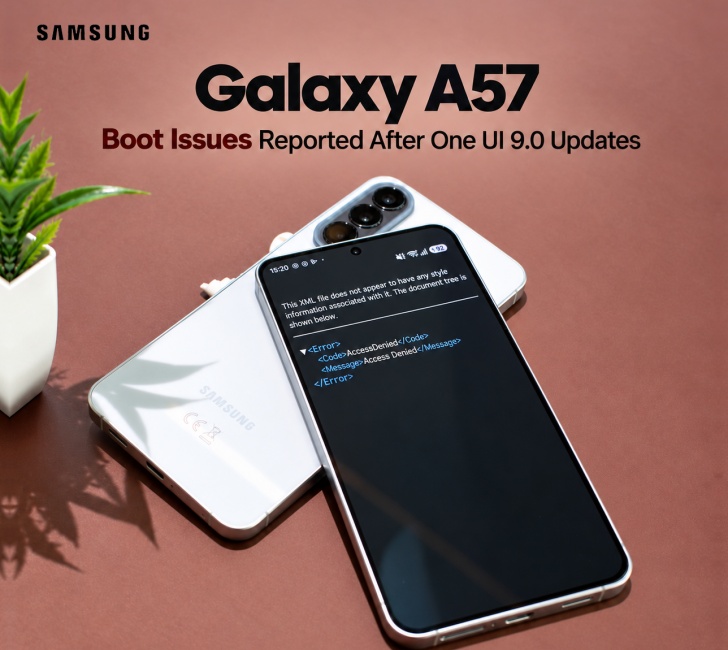
The official One UI 9 update for the Galaxy A57 (locally known as Quantum 7) had a stable OTA cycle in South Korea without prompting any user complaints. European and international variants of the A57 were a different story, though.
The big Android 17 update will download and reboot the phone, but the screen gets stuck on an XML file error at the initial setup for One UI 9. We’ll put a screenshot below. Fahad Ali Javed on X caught the issue. And of course, there’s an influx of Reddit users complaining about the same problem.
By the way, this startup glitch is not happening to all Galaxy A57 phones, just a few of them. We haven’t identified any patterns, so there’s no way to tell which device will get hit. So we ask all Samsung latest A model users in Pakistan to hold off on installing the update until they fix the problem.
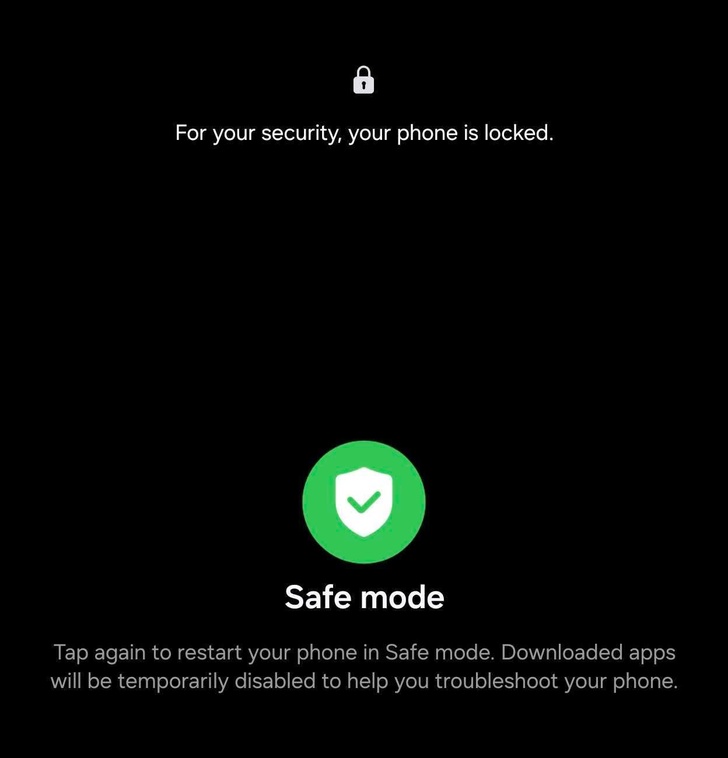
There is a workaround if a user did go through with the update and they are now stuck on the startup screen. The fix came from the community, not Samsung, so the effect may vary. Follow these simple steps, and your A57 will be back to normal.
You have to long-press the power key and volume down key together until the power menu shows up. Now tap and hold the power off button on the screen. Then you’ll see an option to reboot in safe mode. Safe mode boots the device properly. Then you can restart normally, and hopefully that will clear the XML code error. Again, don’t update your A57 until they patch the bug in official One UI 9.


Join the discussion
A place for your take on the story. Every comment is reviewed.
Add your voice.
Sign in to comment and reply.
Your Google name and photo appear with your comments.
Discussion guidelines
Keep it about the story. Links, spam, profanity, abusive language and sexual content are not allowed. All comments are reviewed before they appear publicly.
Loading discussion…
Comments
Newest firstLooking for an earlier discussion? Open the original article.