

AdvertisementReserved advertising space
Samsung Galaxy A15 4G Now Receiving One UI 9 Android 17 Update

One of the few phones that didn’t receive One UI 9 so far was the Samsung Galaxy A15 4G. That device also got the update today. This is only the start, though. The firmware is being pushed to the Galaxy A15 in the home market, and it will take a few days to reach the rest of the world.

South Korea got the update first, as is the norm, but the deployment will pick up pace after this. And yes, we’ll see One UI 9 on the Pakistani Galaxy A15 4G in a few days. The firmware build version will partially match the one in South Korea. Local A15 4G owners should get oriented at least.
The update size is 2715.34 MB. It’s a big download, as it should be, since One UI 9 is a complete platform upgrade to Android 17. This new update in South Korea has the firmware verison “A155NKSUBEZJ6,” by the way. Tarun Vats saw the changelog and took a screenshot.
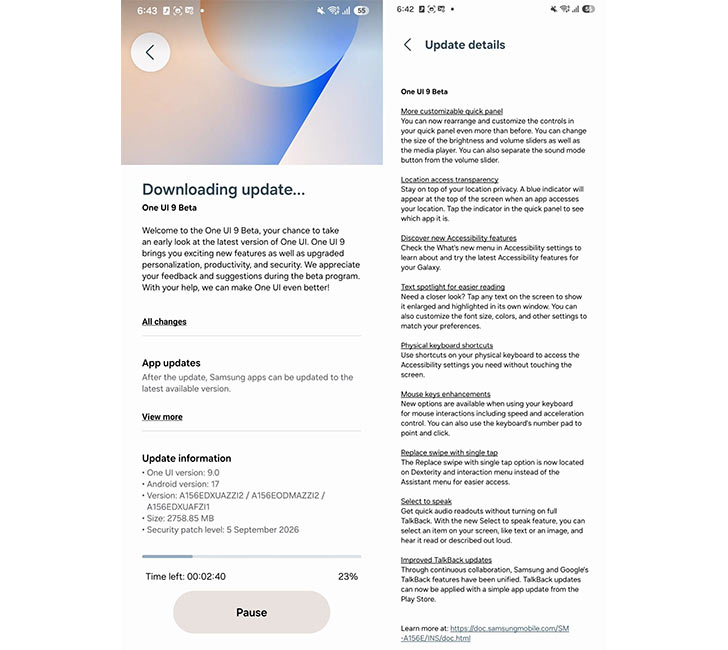
We’ve done plenty of coverage for phones that ended up with One UI 9, so you may already know what this update brings. The latest Samsung A model has a few missing upgrades, like Now Brief and new Galaxy AI tools they’ve locked to the flagship phones, but most of the UI changes and customizations have trickled down.
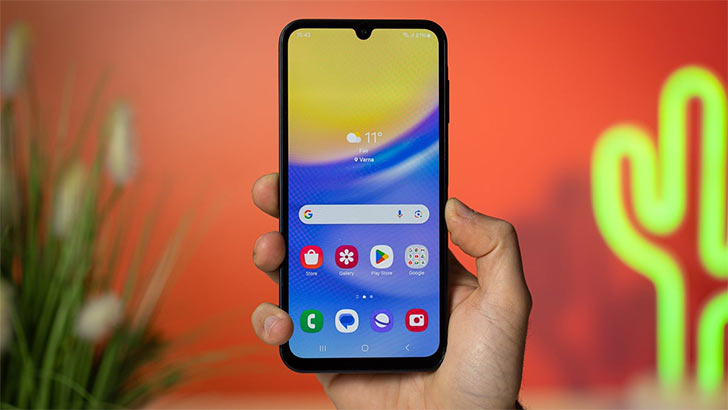
You can customize the Quick Panel even more on One UI 9. Samsung DeX isn’t really supported by the Galaxy A15 4G, so it missed the big upgrade there. Samsung Notes and accessibility features get new improvements. The new location privacy indicator is also here.
Of course, you also get all the core Android 17 upgrades that Google added to the OS. All it takes is a few steps to install One UI 9 on the Galaxy A15 4G. An alert will let you know when the new firmware is unlocked in the region. Or you can also manually “Check for Updates” in Settings >> Software Updates. A Download and Install button will start the update process, and you’ll land on the One UI 9 home screen after a quick reboot.


Join the discussion
A place for your take on the story. Every comment is reviewed.
Add your voice.
Sign in to comment and reply.
Your Google name and photo appear with your comments.
Discussion guidelines
Keep it about the story. Links, spam, profanity, abusive language and sexual content are not allowed. All comments are reviewed before they appear publicly.
Loading discussion…
Comments
Newest firstLooking for an earlier discussion? Open the original article.